Breaking Up with Google #5 — Goodbye stock Android?
This article is part of the “Breaking Up With Google” series, an experiment in untangling myself from Google’s ecosystem — one service at a time. Visit the tag #breaking-up-with-google for more.
Genesis
I used this foldable phone, Motorola Razr 401, for 2.5 years, then one day I unfolded it and static green pixels appeared in the middle of its screen2. There were just two, so I was not bothered.
A couple weeks later I unfolded it, as I was having lunch, and its crease was looking very rough and I realized the screen had broken there, but since it was just a thin horizontal line in the middle of the screen, I again didn’t bother and kept using it. Upon reopening later, this happened:
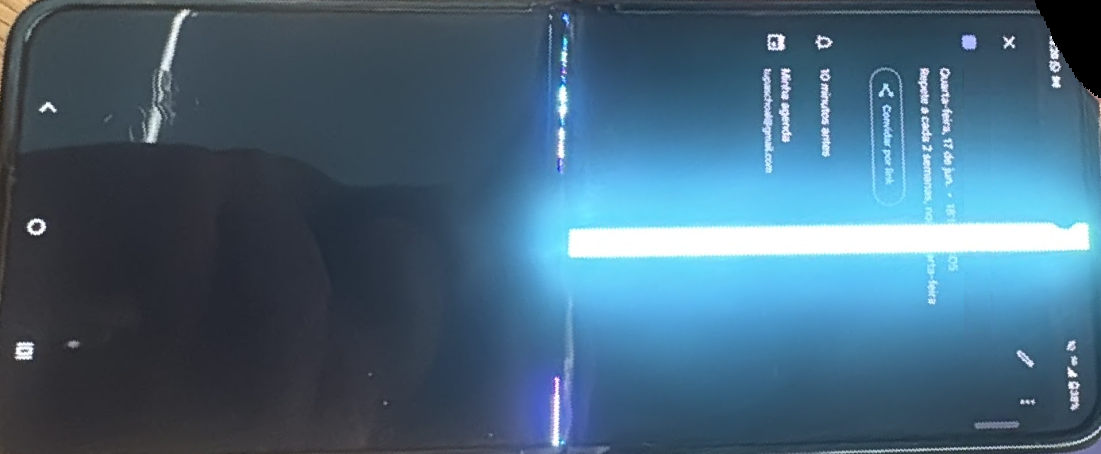
The “lightsaber” screen
Long story short: the screen was busted. The top half of the touchscreen didn’t work anymore, the warranty had long expired and after reaching out to over 20 official and unofficial repair centres for quotes to fix it, all of them charged more than the brand new phone, I decided to let go.
If you have been following my blog3 you know in late 2025 I installed a Custom Android OS on my wife’s old phone. At that time I didn’t have a use for it4, but life has its ways, so it came to my rescue. Hopefully this report will help a few people decide whether or not to use it.
The LineageOS life
My wife’s old phone is a Samsung Galaxy S20 FE, released in 2020. Samsung builds decent phones and they usually last for a good chunk of time, six years though is already a bit of a stretch and the main reason for it being dumped was that it had become slow and with poor battery. Surprisingly, I did not see any of that.
Daily use
The problems that led to it being replaced by her were just not there. With LineageOS the phone booted in a handful of seconds5 and was very responsive. My biggest fear of being blocked away from the banking apps was a non-issue and I could live life as if nothing had happened6.
If anyone is looking to do the leap, here’s a list of apps that worked fine for me in June 2026:
- Banking: Banco do Brasil, Bradesco, FGC, FGTS, Flash, Mercado Pago, Nomad, Nubank, XP.
- Brazilian Government: CNH, e-titulo, SUS.
- Social: Discord, LinkedIn, Telegram, WhatsApp.
- Streaming: Disney+, GloboPlay, HBO Max, Netflix, Prime Video, Spotify, YouTube.
And the list went on. At this point I had started seriously considering not buying a new phone. It was performing better than my previous, I would save some money and give a big “Not today!” to the planned obsolescence, but of course it fought back.
Quirks
Camera
Smartphones with cameras from a decade or more ago would deliver you a picture almost as it was captured by the image sensors, but that is not the case today. The manufacturers have a lot of software to post-process the pictures and make them look better or even possible, such as photos in dim light.
On LineageOS the camera app is very crude with little to no post-processing7, thus the pictures look bland and it is more difficult to take them in challenging situations. I don’t take a lot of photos, so it was a mild nuisance, but I know it would be a blocker for many people.
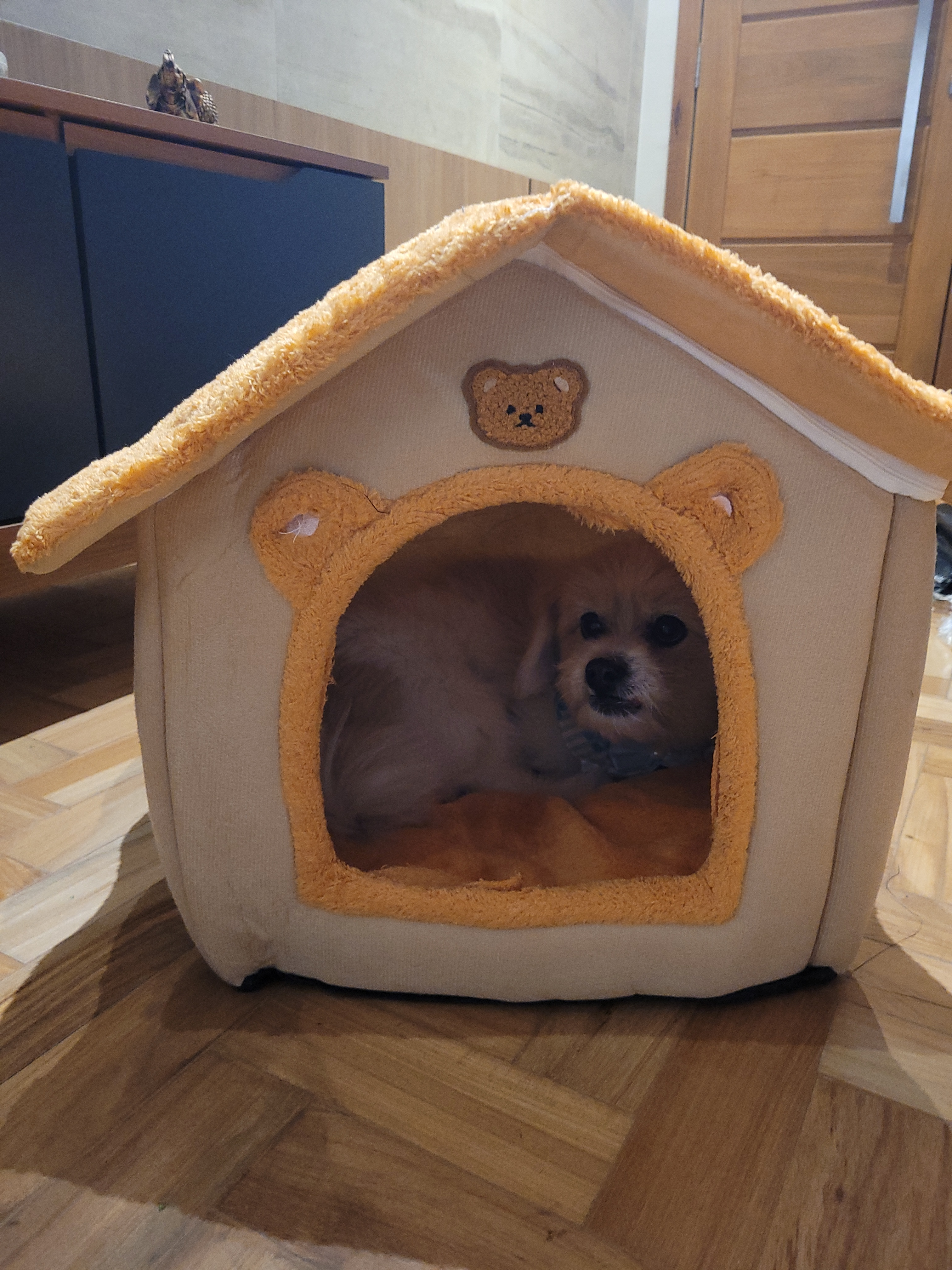
“Sushi” (our dog) resting on his small house, captured using the S20FE with LineageOS
Malfunction “near misses”
Some apps knew the phone was not running the stock OS and either attempted to prevent their usage or misbehaved, but ended up working anyway. I noticed this on three apps.
First there was the FGC8: it detected something was off and gave a simple warning, but if you just closed and reopened the app, it would work just fine. Maybe it was a one-time only check every time the system booted? Anyway, it seems like the check is tied to the developer mode, not really running a different OS, and was easily circumvented.
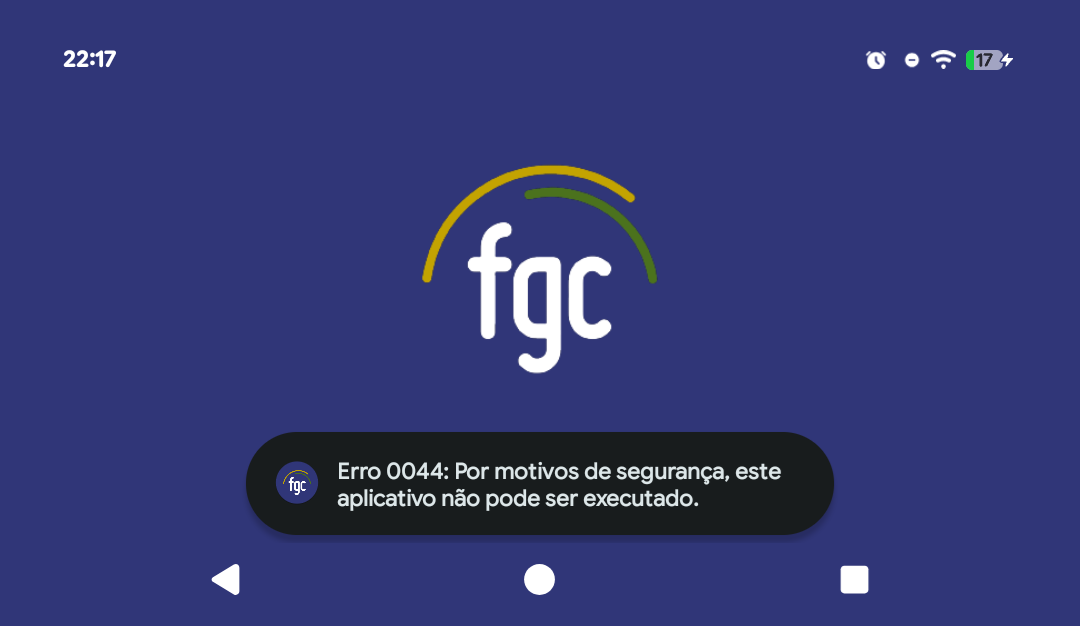
Simple FGC error
Tembici9 would show a similar warning, though more difficult to work around. I contacted the support who told me there was nothing to be done and that I would have to try another phone.
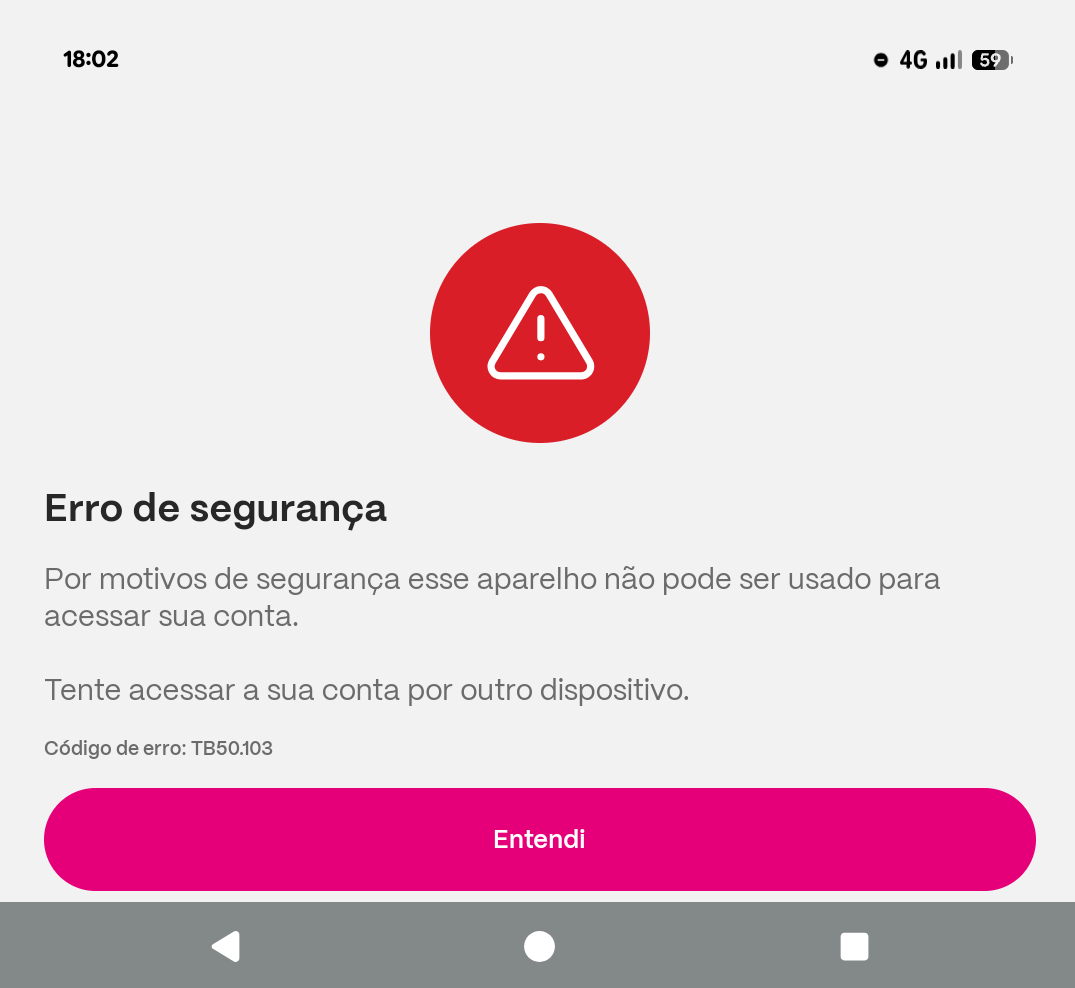
Simple Tembici error
This got me annoyed more than FGC, because I can understand those are trying to “protect your money”, but a bike renting app being restrictive seemed a bit too much. Luckily it eventually started working, I don’t know exactly why, because I didn’t actively try to fool it, so I moved on.
Finally there was Banco do Brasil (BB)10. It worked just fine from the very first usage, except the notifications were not showing its icon and were instead showing a generic Android icon:
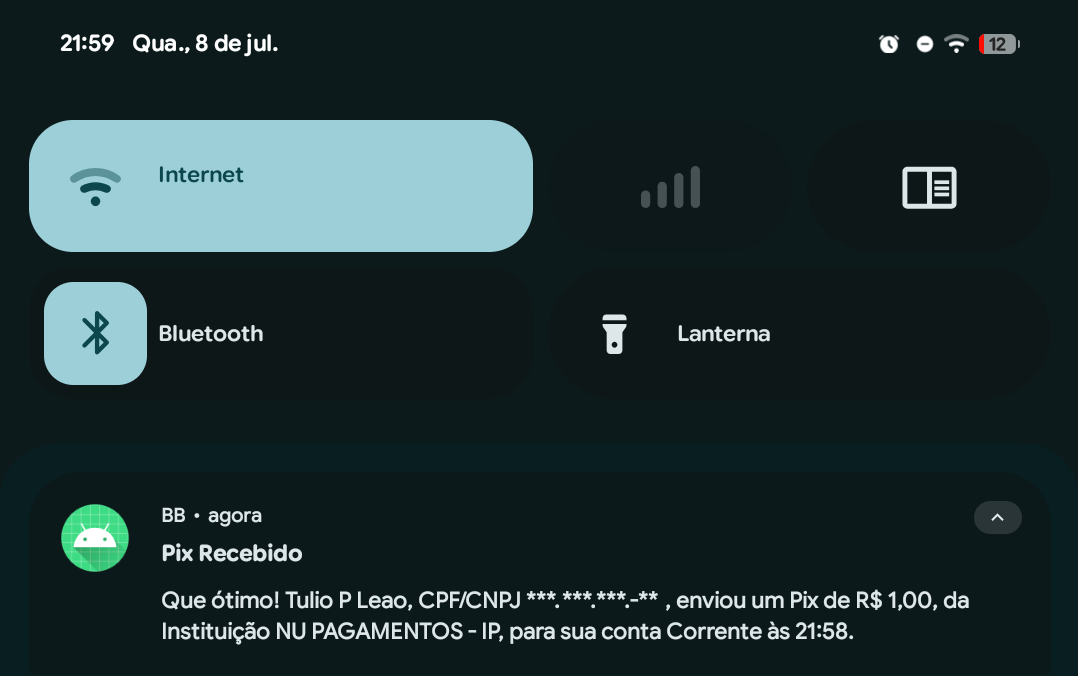
A PIX transfer notification from the BB app
I reinstalled it to try and fix the icon, and, to my surprise, it completely stopped working. I don’t know if it started “detecting” the modified OS, because it’s not that it would give me a well-formatted error, like FGC or Tembici, instead it would run for a mere moment and then freeze or stop working, like if it the app would run until the security check completed. I could not work around this once it started happening.
Contactless Payment
Google Wallet opened and worked just fine if you were just storing tickets, but it would not allow you to configure and make contactless payments, despite loading the cards you had in your account.
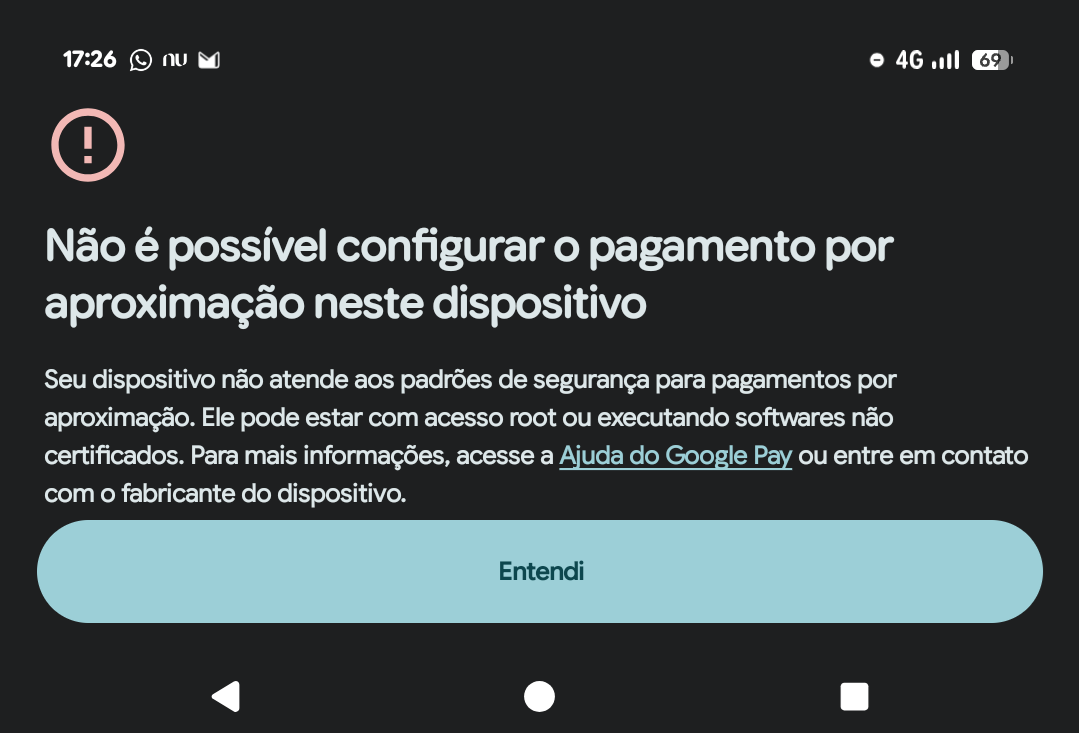
You’re running as root or running unverified software!
I made >90% of my payments back then using my previous phone and it didn’t please me on having to go back to using the cards11. I did find an alternative though: the Nubank app has its own interface and system for contactless payment and you can configure it to be the default over Google Pay. It only allows you to use its cards, but it was already the one I used the most, so it was a fitting replacement.
gov.br
Finally we got to the biggest problem, Brazilian Government’s own app, gov.br which just couldn’t be installed:
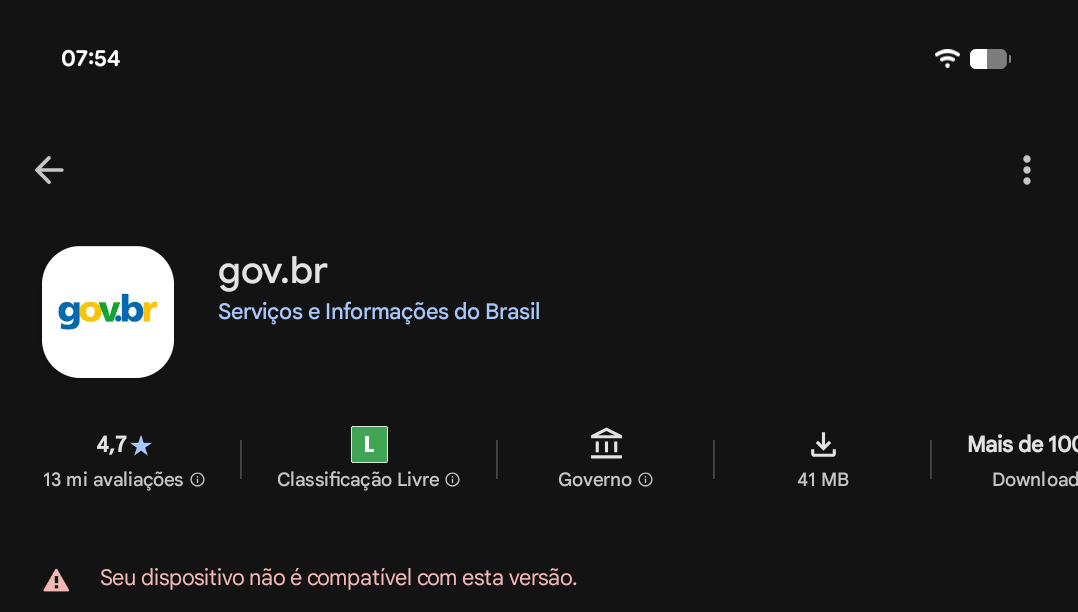
Your device is not compatible with this version
This was a major issue as a lot of official systems today require you to go through your gov.br log-in and while you can type your username and password, you’d still need the two-factor authentication code, which can only be generated inside the app. It’s a questionable decision that the 2FA authentication is locked to the app and can’t be relayed to password managers, but I guess just like the banks they’re doing this “for our own safety”.
I looked for answers online and found about Aurora Store, a Google Play store alternative that gives you freedom to install apps without needing a Google account and lifting some restrictions. Fortunately, that meant I could install gov.br once again:
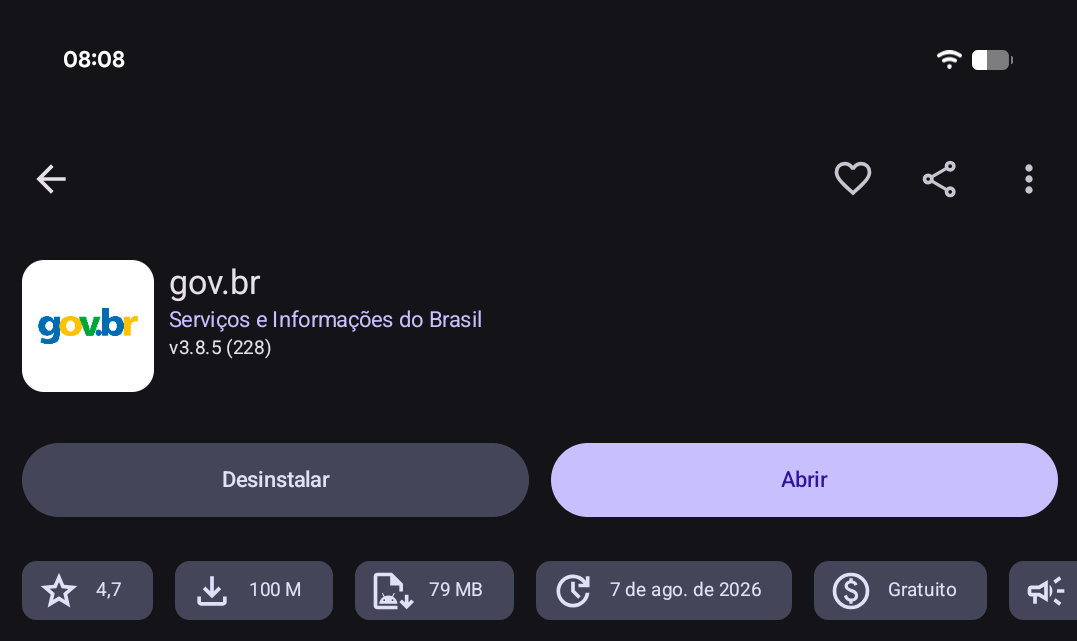
gov.br app as shown on the Aurora Store
I’m not that näive to start typing my credentials on it right away, I wanted to confirm that the app was not maliciously modified and so I installed AppVerifier BG. It’s an app that shows you all kind of metadata about installed apps, one of them being its hash signature:
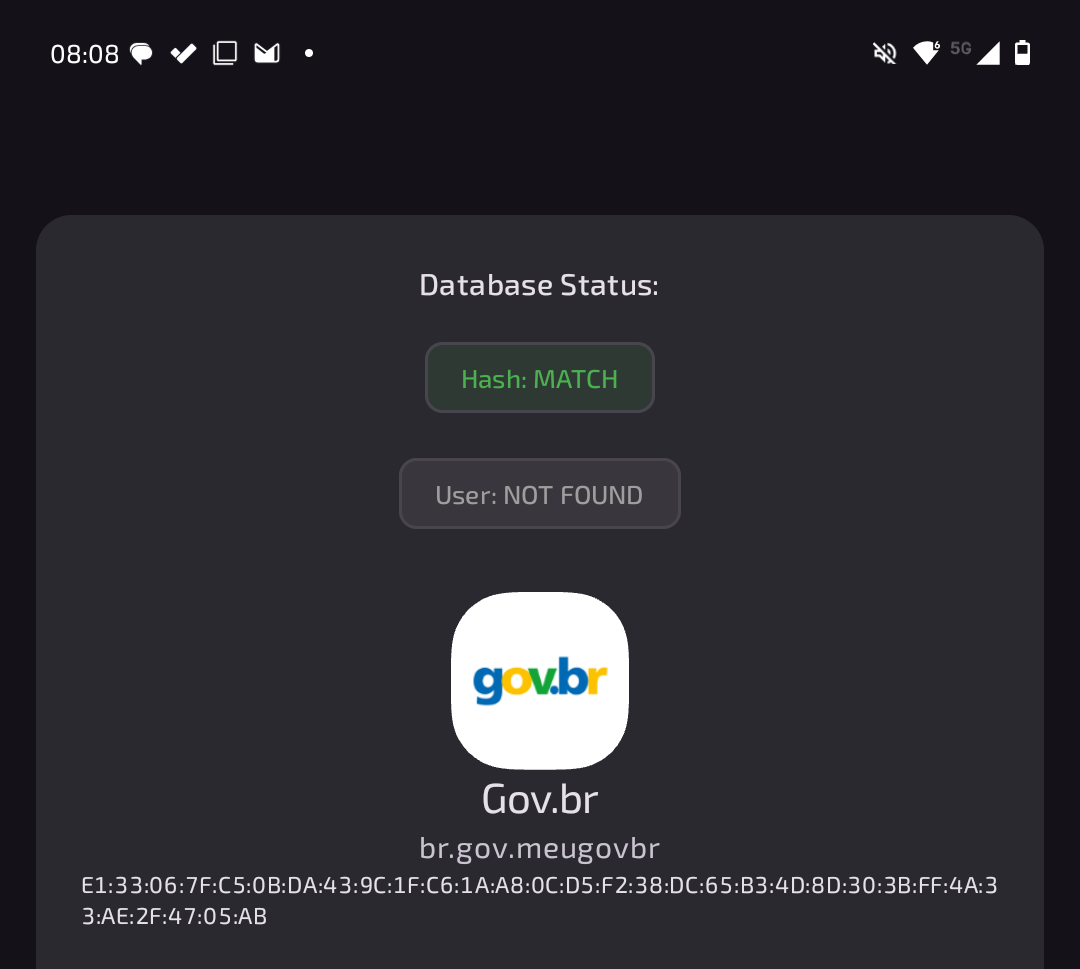
gov.br’s signature
I asked someone that could install the gov.br app from the Google Play Store to also get its signature using AppVerifier and send me. I confirmed they matched12 and then tried to log-in:
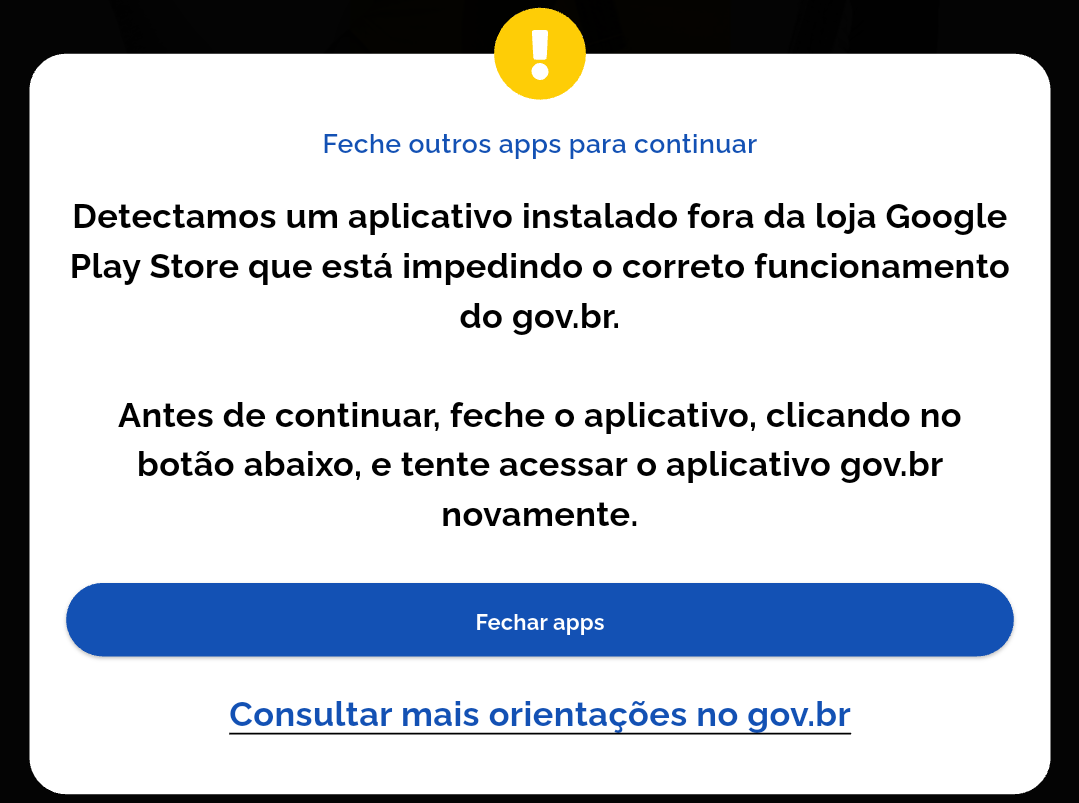
Couldn’t login - app installed outside Google Play Store
Still no good, turns out that the app uses “Google Play Integrity” to avoid copycats, as stated by the supposedly actual app developer on a public forum thread. I understand the government trying to protect its citizens, though I can’t help but wonder if sovereign-wise it is a good choice to lock your most important application behind one or two big tech companies.
I still tried another failed long-shot alternative with Magisk. gov.br would be my LineageOS experience’s demise.
Wrap-up
LineageOS and other custom Android OSes have their risks: their installation voids warranty13 and if not followed correctly, they can brick your phone. It just worked though and I’d gladly keep on using it: it made the phone fast, it got it to run Android 16 (not 13 as provided by the manufacturer who had long stopped updating it) and overall it was a great experience.
I used that phone for a month and was not questioning going back or buying another one, but had to because of the gov.br access. I could have bought a cheap “burner phone” instead to install it there and have two phone, I went for the convenient option instead.
Maybe someday gov.br will stop tying itself to Google’s API and start offering the app on alternate stores such as Aurora Store or F-Droid, then we’ll have more options to choose from and will be able to have long-lasting phones once again 🤞🏼.
Yes, Motorola makes them. Apparently every single person was surprised when I told them it was not a Samsung. ↩︎
I started calling them live pixels, as opposed to the infamous dead pixels since they hadn’t died, just chosen to be always green. ↩︎
Is there anyone out there? ↩︎
And even apologized for the anti-climatic story ending. ↩︎
Faster than my newer phone before it perished. ↩︎
Mostly, keep reading. ↩︎
As far as I could tell, sorry if I offended any of the developers! ↩︎
FGC is the Brazilian equivalent of the USA’s FDIC. ↩︎
A bike sharing app present in my city. ↩︎
A Brazilian bank. ↩︎
Though I do almost always am carrying them with me. ↩︎
At least some sign of authenticity. ↩︎
Though they’re usually just one year long anyway. ↩︎