Breaking Up with Google #4 — The Proton Mail Trial
This article is part of the “Breaking Up With Google” series, an experiment in untangling myself from Google’s ecosystem — one service at a time. Visit the tag #breaking-up-with-google for more.
Having cleaned up my e-mail inbox and figured out whether I could swap my e-mail address from the services I used, it was now time to choose another e-mail provider and think whether I was ready to start migrating from Gmail.
Part of my motivation of moving away from Google is that the service is “free” by selling your data to empower their big advertisement department, thus switching to another “big provider” like Outlook (Microsoft), iCloud (Apple) or Yahoo! would be much of a muchness.
There are actually more e-mail provider choices than you would imagine, but as I kept searching the same two answers were coming up: Tuta1 and [Proton][6]. Both have the same underlying principle in mind - “private inbox” - with encrypted e-mail that not even them can read2, and as they offered basic free tiers, I could try them both without committing. Also, they both know that coming out of a big provider, you likely have other needs to offset (like storage, calendar, etc) and have some varying offer of these. I’ll focus on the mail part here though.
Tuta
Creating an account on Tuta is as easy as choosing an available username, typing a password and agreeing to the terms. No need to provide your name, address, input a credit card. Sounds simple, right? Yeah, but I failed 🤣.
For some reason I’ll never understand, when I was creating my account the creation failed and redirected me back to the start page, and upon retrying I found the username I had chosen was not available anymore3. I waited for a few days to see if the “inactive account” would make it available again, to no avail.
Eventually I created another free account to lightly test it, but found a few blockers for the switch, like the lack of a way to snooze e-mails4 and the weak ecosystem: just e-mail and calendar5.
Proton Mail
Proton is what most people recommend when you search online for an alternative to the “big ones”. It has been around for over a decade and seems to have built quite a reputation for it, so I decided to give it a go.
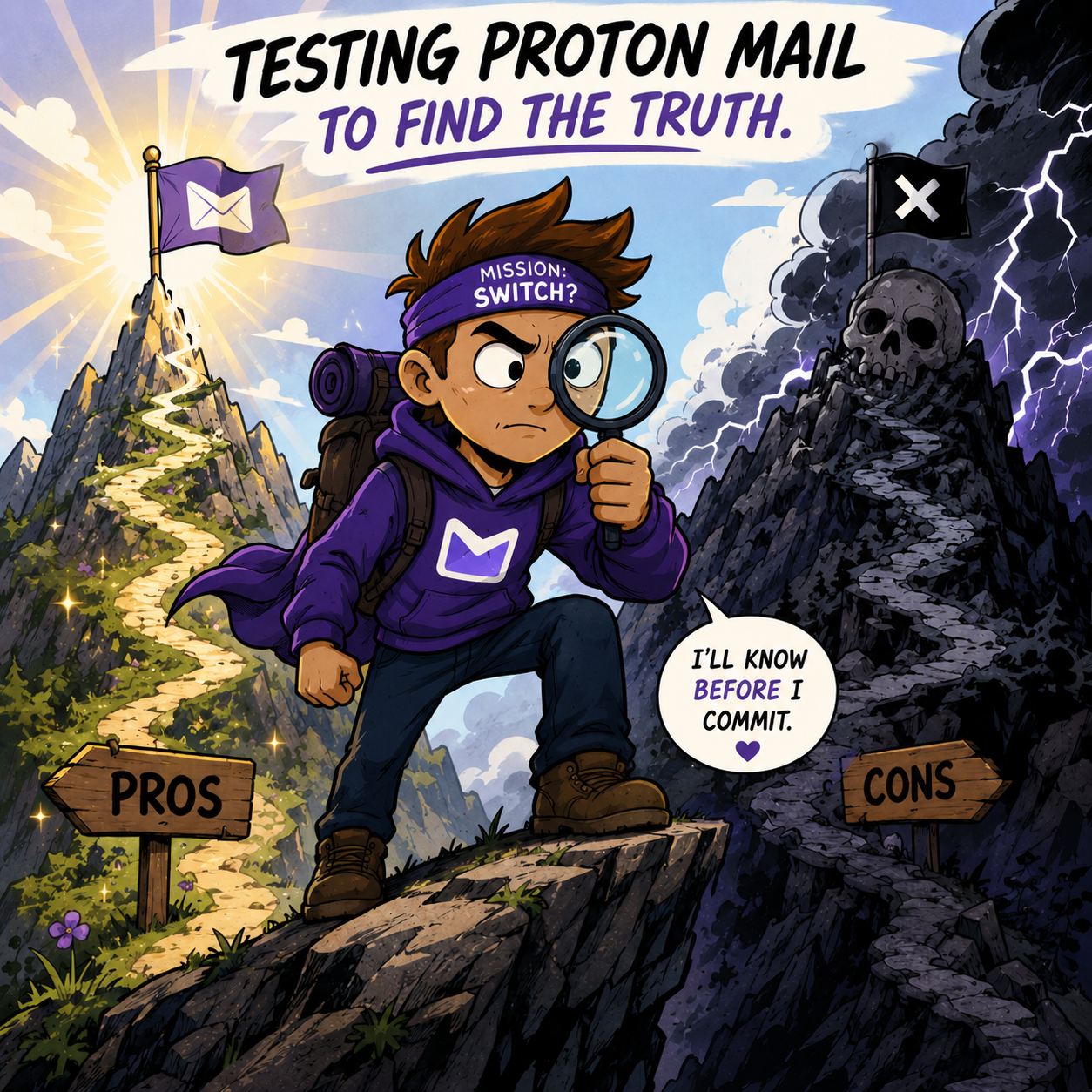
AI-generated image using ChatGPT with this prompt “Do a funny comic-y image of a user that is doing a trial of proton mail to consider switching. It has to look epic as he searches for every pro and con” and then a few tweaks
Migrating from your existing inbox is very straightforward: you just use their Easy Switch tool and in less than a minute you’ll be set to receive e-mails on the new Proton account6.
I decided not to migrate any preexisting e-mails7 nor calendar entries for now, assuming the service would still be “under trial”, but I did set it up to redirect all incoming messages, so that I could have the feeling of what it would be like to manage all my mails on the Proton service. Then I used it for 2 months to have an appropriate opinion, which were long 2 months of seeing the same messages on both apps and thus having to delete them twice every time.
Of course switching to a new e-mail service after having used another for decades will not happen without friction, so here are a few unfortunate things I found out during this experiment, which I think is what people want to hear first to consider or not switching, but the some good surprises too.
Con #1 - Its mobile app is slower
It’s noticeably slower, despite their mobile apps having been recently rewritten in Rust for speed, note how on the small screen recording below, opening the same e-mail on both apps takes 1 second on Gmail and almost 5 on Proton. My only guess is that it has to do with their encryption/safety mechanisms, but it seems exaggerated.
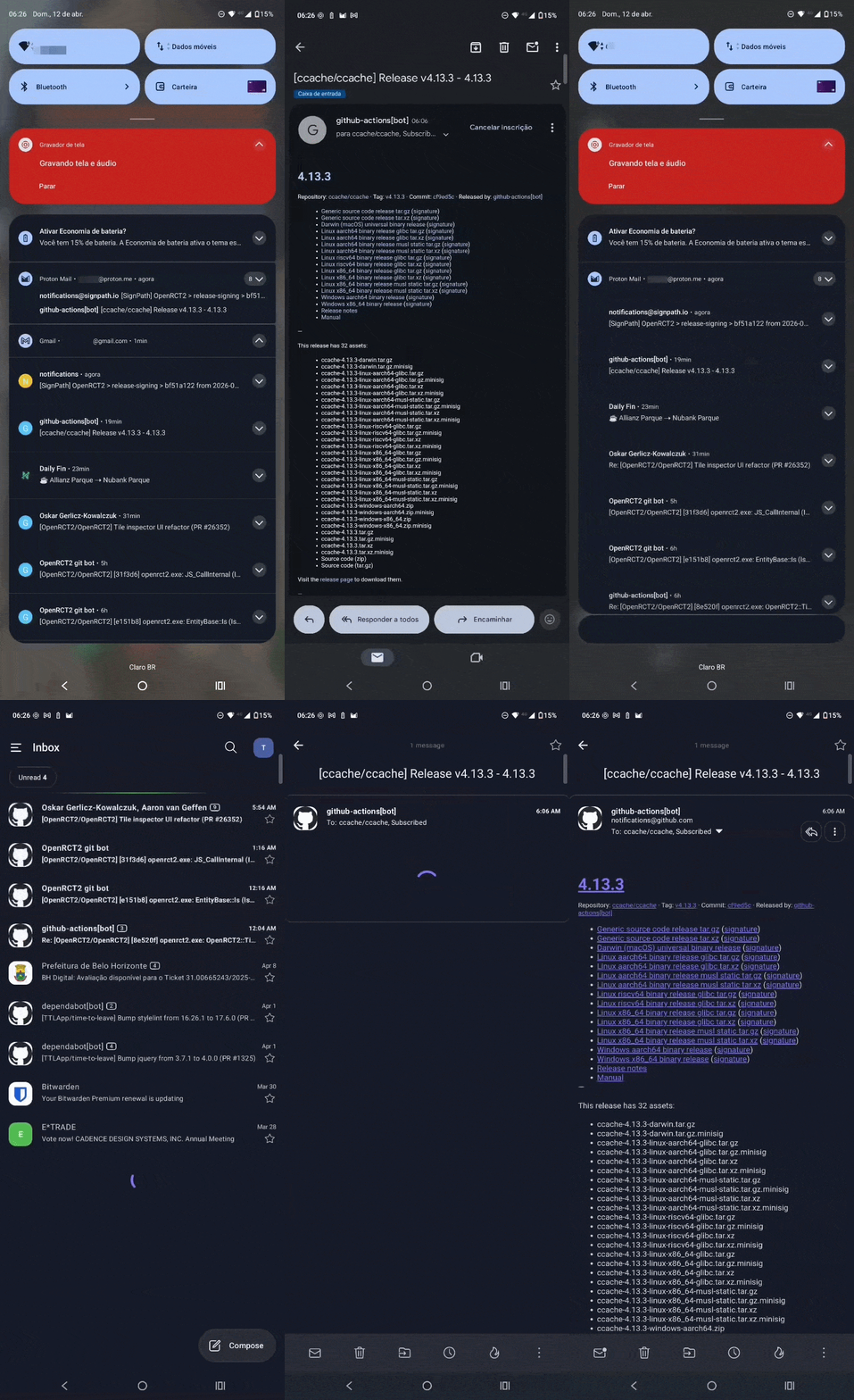
Opening the same e-mail on Gmail and Proton
I also noticed that when I rapidly delete multiple mails through swiping, it often glitches for a few seconds showing an already deleted e-mail and I either have to refresh or wait and trust.
Con #2 - Message preview unavailable on notification
I receive quite a lot of e-mails that I’m able to tell whether I’ll want to read them or not based on a small preview of its content, and I usually take action on the spot: trashing the ones I have no interest and leaving the rest there for later. There is no way to preview on the Proton notifications, so I have to decide based on less information or open up the app, which with the slowness quoted above, makes the whole process more cumbersome.
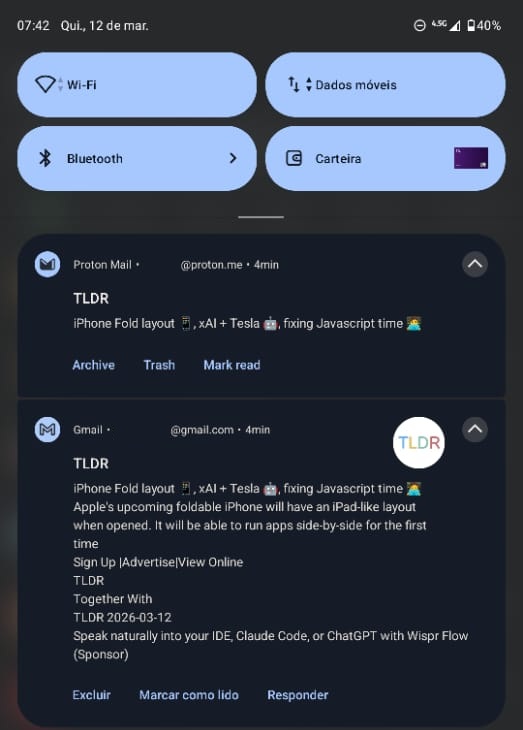
Both notifications are expanded, but Proton doesn’t leverage it
Con #3 - Cannot undo some actions
If I do decide I want to delete some e-mail based on the title alone, I have one big obstacle: overcoming my muscle memory that the trash action is the first one on the left (Gmail) not the one on the middle (Proton). It is a minor thing, but if I do confuse them, I end up archiving the e-mail on Proton and since they don’t allow undoing a notification action, that will lead me to opening the app again. Similarly, while the apps allow me to undo deleting or archiving a message, they don’t offer the same undo for snoozing.
Con #4 - Notifications of same thread are not nested
If you get a lot of e-mails on the same thread for Proton, it will show one notification for each, whereas Gmail would only show one. This would be useful if you could preview the message, but since it doesn’t, it sounds useless and will hopefully be improved.
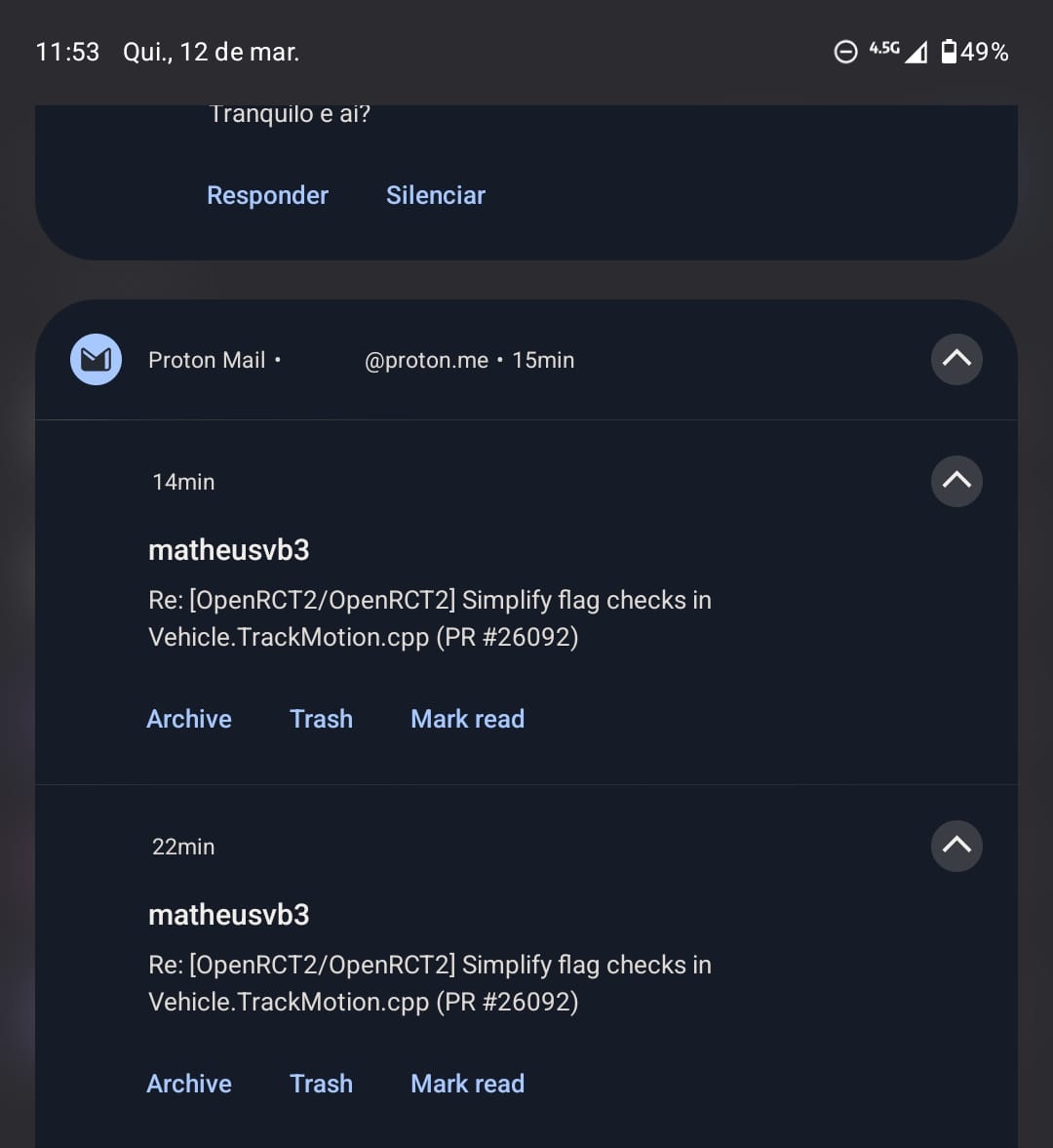
Two e-mails on the same thread, shown as different notifications
Neutral #1 - Can’t swipe to snooze
I had configured my Gmail so that swiping would either delete or snooze, depending on the direction. On Proton this is also configurable, but there is no way to select snooze as a swipe action. Seems weird, since they allow you to pick all of the other actions.
Neutral #2 - Non-configurable notification actions
Both apps offer you three quick actions: one to delete the message, one to mark it as read, and either “reply” on Gmail or “archive” on Proton. I use both very rarely, but still use reply more than archive, so it would be good to be able to customize it.
Neutral #3 - Snooze doesn’t remember last date
Snoozing a mail is a very useful feature8, as previously stated, it can be because you need to reply something a few days later or remember to pay a bill closer to when its due. While Proton does offer the ability to snooze to any given date9, if you do, pick a custom date and then want to do the same a few minutes later on another mail, it doesn’t remember your last snooze.
Pro #1 - Locked app
A lot of our online security today depends on e-mail, either because you use it as two/multi-factor authentication or because it is how most services allow you to reset your password. It was a good surprise to see that Proton allows you to configure the app to be locked immediately after switching screens or after some timeout, requiring you to either enter a PIN or use the phone’s biometrics to get back to the mailbox. Gmail doesn’t offer it natively and instead require you to use some other solution like locked folders.
Pro #2 - Desktop Client
This might sound weird to the newer generations, but once upon a time it was very common to have dedicated programs to read your mail on your computer. If you think about it, it still happens all the time on phones, where most e-mail providers have a dedicated app, but it is hard to see the same happening on desktop. Microsoft has it with Outlook, but for most others you would have to configure an open source one, like Thunderbird, yourself.
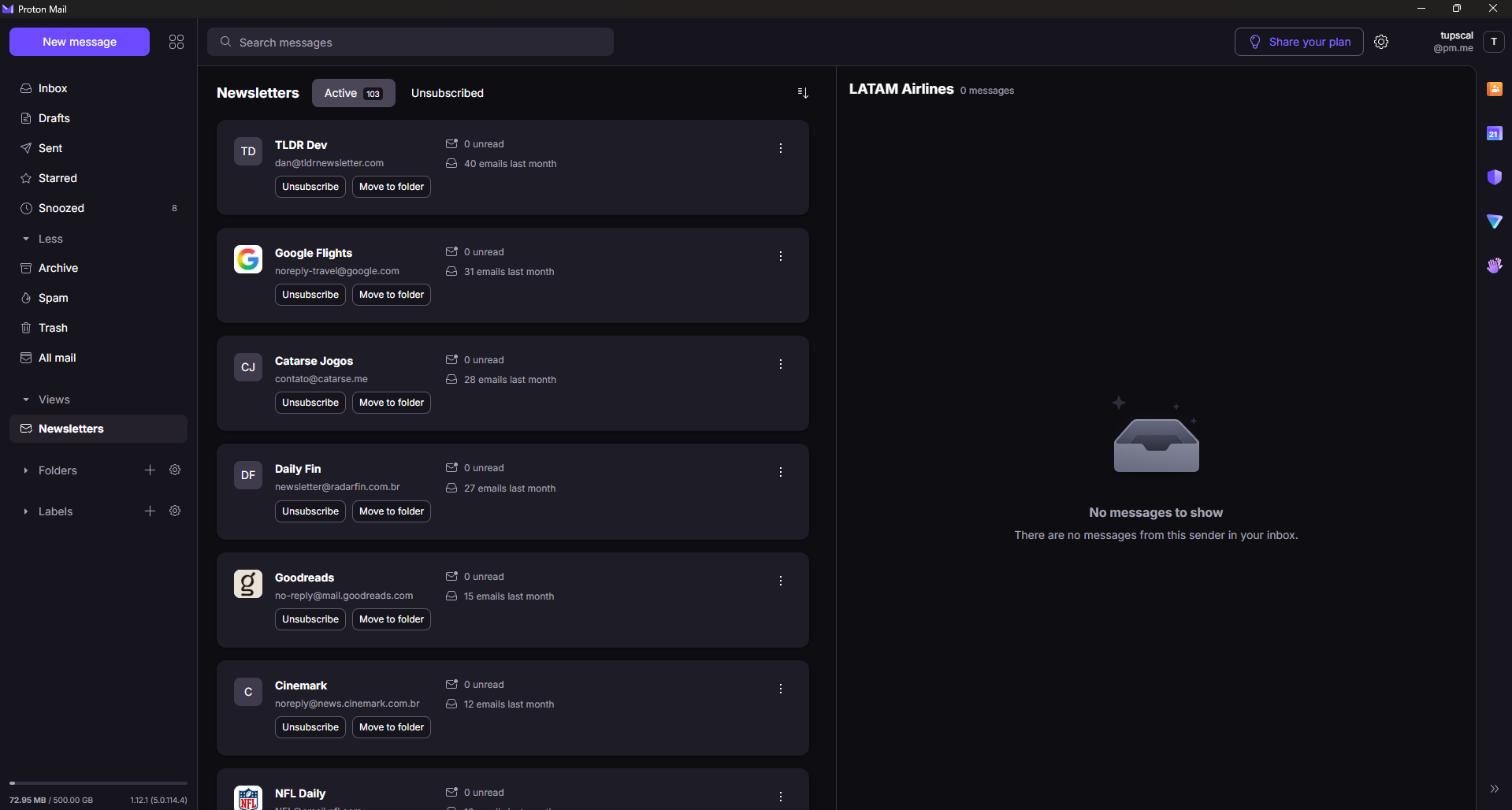
Proton Desktop app on the newsletters tab
Most of it is exactly what you would expect from a mail app, so I won’t bother explaining. I do want to highlight one novelty which is the newsletters tab shown above, where it somehow auto-detects mails from subscription lists and provides you with statistics on their frequency, a central way to read them and a button to unsubscribe. I haven’t used it too much, but it has given me some good insights on what I get regularly.
Pro #3 - Domain e-mail
If you own a custom domain, like I do for this website tupscal.xyz, you can configure e-mail addresses through it on Proton. In fact I now use it for the “reply to this post by e-mail” at the bottom. This was a nice addition since it makes the blog look more professional and there is an added benefit that you can configure a “catch-all” inbox for everything sent your way.
Pro #4 - Privacy features
There are several privacy features which, funnily enough, I didn’t bother much. Of course more privacy seems better, so aside from their claim of not reading your e-mails, they also block trackers from incoming e-mail and I noticed a lot of e-mails that I would never have suspected had them.
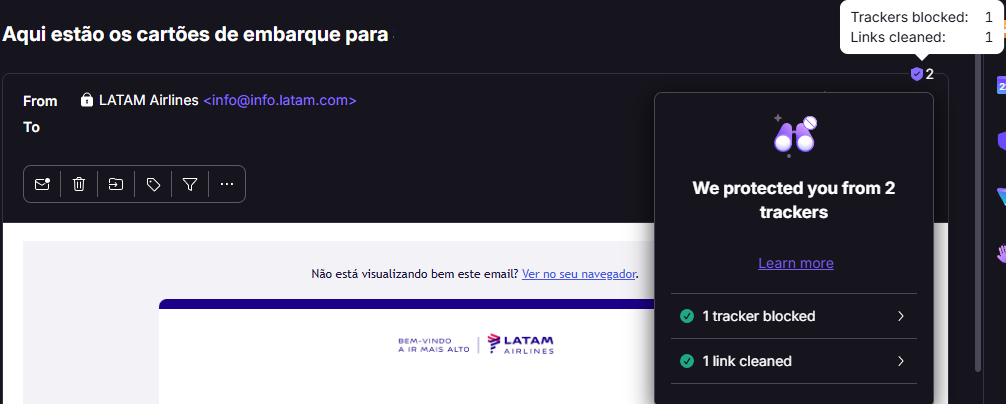
LATAM seems to want to track me in two ways!
Additionally they offer you a way to encrypt the message with a password and set an auto-expiration date for the mail, after which it gets deleted. I didn’t fully understand how those work, but I also couldn’t yet find a good use to them, maybe if this was my corporate e-mail or something.
Wrap-up
I’ll admit, I was already biased towards Proton Mail because of it receiving most of the recommendations online, but it having all the other Google copycat services helped a lot steer my decision, even if I’m not using them yet: Drive10, Sheets, Docs, Calendar and Meet, if you prepend either Google or Proton to each of these words, all are existing valid services.
All the cons seem like things that would naturally improve, so for now I’m sticking to it and will start doing the lengthy process of switching my main e-mail, one service at a time. In the meantime, since I started paying, I’ll also test everything else and report back.
I’ll leave you with an alternate image that ChatGPT generated for this post that had too many small details to be used up front, but was too good to not be used at all. An easter egg is that both generated images are different for the different languages of this article:

AI-generated image using ChatGPT with this simple prompt “Create a funny image that looks like a trial of the Proton mail service”
Formerly Tutanota. ↩︎
Allegedly. ↩︎
It could be an incredible coincidence that someone tried setting up an account with the same username at the same time, but having had no clashes with my username ever, I doubt it. ↩︎
Seems like a nitpick, but this is really important for the way I manage e-mails today. ↩︎
When I was testing there was no storage alternative, but as of April 2026 the Tuta Drive has entered closed beta, so it might be a viable alternative in the future and if it proves successful, it’s likely that they will follow Proton’s story and keep adding services. ↩︎
If you’re ok with giving them permanent access to your existing account. ↩︎
Counterintuitive, I know, given I spent a lot of time cleaning up my inbox just for this. ↩︎
But not always, like I have already [written about][]. ↩︎
Assuming you have a paid plan, otherwise you’re left with a few predefined options. ↩︎
Including Photos! ↩︎